Write in any language.
AI built for Suno crafts the perfect prompt.
The beginner-friendly Chrome extension for Suno AI (v5 & v5.5). Write your idea in any language and get an optimized prompt instantly. Generate artist-style tags, paste a YouTube URL to recreate a vibe, or upload an mp3 to analyze BPM, key, and genre — all inside suno.com. The easiest way to learn how to make music with Suno.
Made with SunoMuse
From a simple idea to a full track — hear what's possible
Features — How to Make Music with Suno AI, the Easy Way
Everything you need to create better music with Suno AI
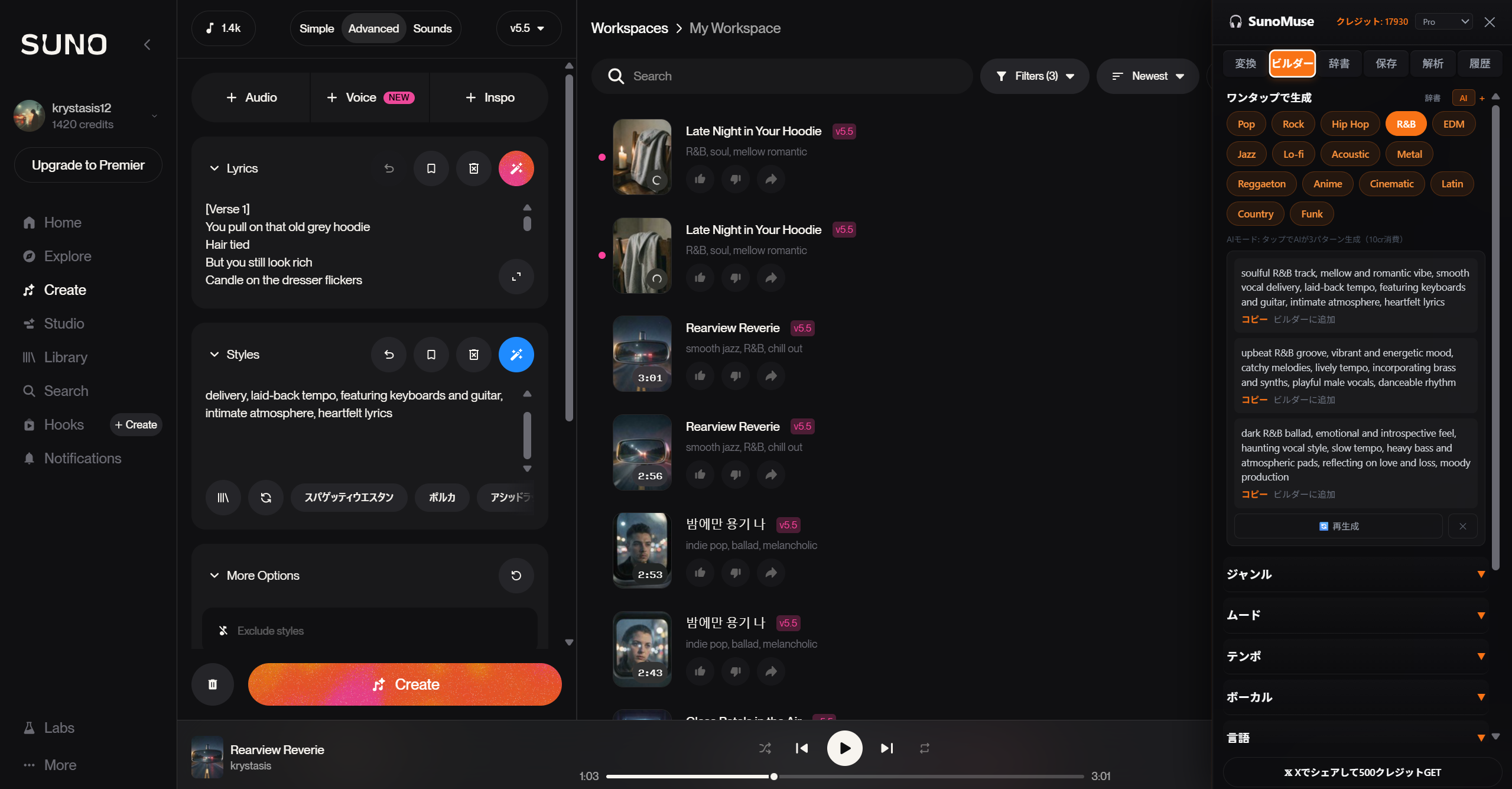
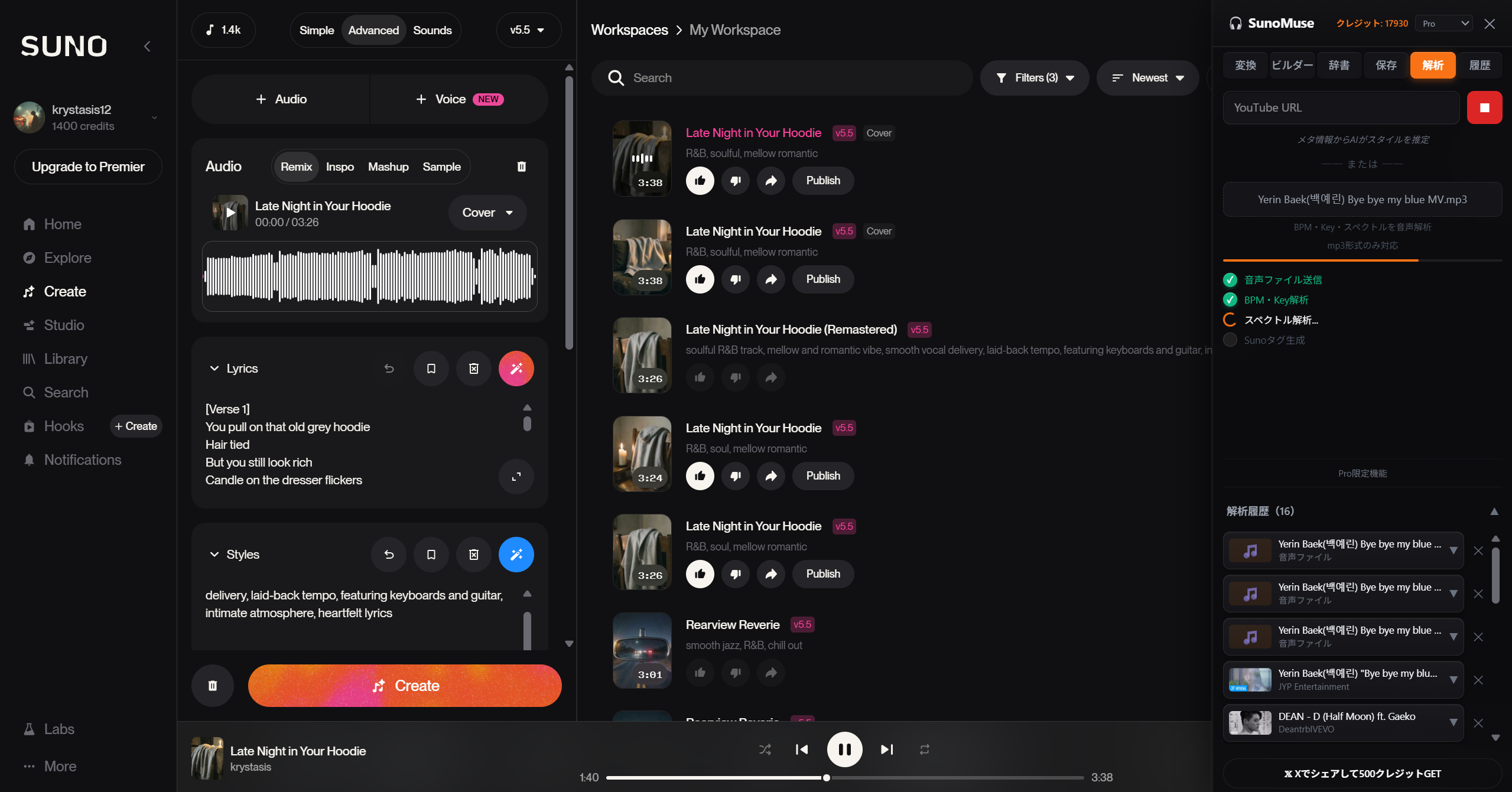
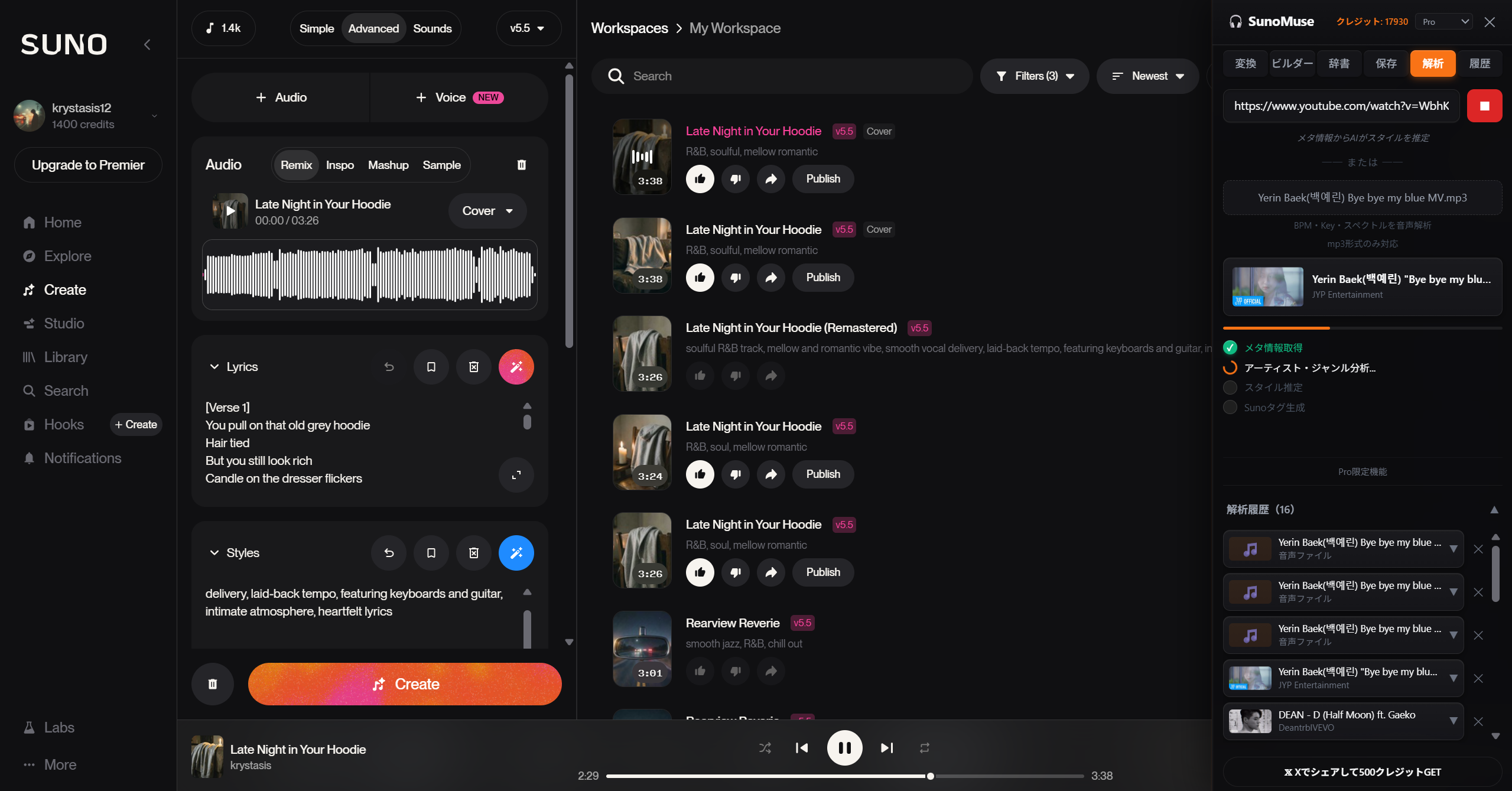
One-Click Convert (Suno v5 / v5.5 Ready)
Type naturally in any language. A convert button appears automatically on suno.com, instantly optimizing your prompt for the best results.
YouTube Analysis PLUS+
"I want something like that song" — just paste a YouTube URL. AI analyzes the track's characteristics and generates Suno prompts that recreate a similar vibe.
Audio File Analysis PLUS+
Upload an mp3 file to precisely analyze BPM, key, genre, mood, and instruments. Auto-generate Suno prompts from the analysis results.
Artist Style Generator
Type any artist name and get a Suno prompt that captures their style — genre, mood, tempo, instruments, and vocals. "A song like that artist" in one click.
Music Glossary
500+ music terms with explanations. Understand exactly what each term means and how it affects your generated music.
Preset Templates
12 genre presets — one tap generates 3 variations. Or build custom prompts from 10 tag categories.
Tag Rephrasing
Double-tap any tag to see synonym suggestions with nuance explanations. Fine-tune your prompts effortlessly.
Library & History
Save your favorite prompts. Browse your conversion history and reuse what worked best.
Why Suno Beginners Need SunoMuse
Fill the gaps in Suno AI, with smarter prompts than ChatGPT
What Suno AI alone can't do
| Suno's limitation | SunoMuse's solution |
|---|---|
| Hard to write effective English prompts | ✓ Type in any language → AI auto-converts |
| Don't know which tags work best | ✓ 500+ music glossary + tag rephrasing |
| Can't recreate a song's vibe | ✓ Audio analysis → auto-generate matching prompt |
| Artist names are banned in Suno | ✓ Artist style → decompose into genre/mood/instruments |
| Too much trial and error | ✓ 12 genre presets + 3 variations per tap |
vs ChatGPT
| SunoMuse | ChatGPT | |
|---|---|---|
| AI Model | Suno-tuned Ultra AI | General-purpose AI |
| Suno-optimized prompts | ✓ Auto-generated | ✕ Manual prompting |
| One-click on suno.com | ✓ | ✕ Tab switch + copy-paste |
| YouTube track analysis | ✓ | ✕ |
| Audio file analysis | ✓ | ✕ |
| Artist style generation | ✓ | ✕ Suno bans direct artist name input |
| Music glossary | ✓ | ✕ |
| Prompt builder | ✓ | ✕ |
Pricing
7-day free trial — try all features including Ultra AI, no credit card required
- 150 credits/day
- Suno-tuned AI
- Up to 3 variants
- Save 5 prompts
- YouTube analysis
- Audio file analysis
- Artist style
- 3,000 credits/month
- Standard / Pro / Ultra AI selection
- Up to 5 variants
- YouTube analysis (10/month)
- Audio file analysis (10/month)
- Artist style generation
- Save 30 prompts
- 6,000 credits/month
- Ultra AI discount (50→30cr)
- Up to 5 variants
- Unlimited YouTube analysis
- Unlimited audio file analysis
- Artist style (5 variants)
- Unlimited prompt saves
FAQ
Start making better music.
Smarter prompts. Better songs. It's that simple.
Add to Chrome (Free)Contact Us
Questions, feature requests, or bug reports — we'd love to hear from you